
Choosing a wireless keyboard is rarely as simple as comparing prices. Connection stability, typing latency, battery life, layout quality, and after-sales support can change the daily experience. This guide explores China’s top 10 keyboard brands while examining the practical differences between 2.4 GHz vs Bluetooth keyboard models.
The comparison focuses on how each brand performs in real working environments. A 2.4 GHz receiver often offers a direct connection with low perceived delay, which suits gaming, office work, and shared desks. Bluetooth can be more convenient for tablets, laptops, and devices without spare USB ports. It may also support easier multi-device switching. However, performance depends on firmware, interference, operating systems, and battery condition. Small details matter. A receiver hidden behind a desktop may lose reliability. A crowded wireless environment can expose weaknesses. These points are easy to overlook.
The brands are assessed through product specifications, user feedback, manufacturing experience, and publicly available support information. We also consider key travel, noise, wireless range, charging methods, warranty clarity, and software quality. Some specifications may look impressive but feel less convincing during long typing sessions. That is worth questioning. No ranking can represent every user’s needs perfectly. A programmer, a competitive gamer, and a tablet traveler may choose different winners. This introduction prepares readers to compare these Chinese keyboard brands with practical evidence, not marketing language. Results can change as new models, firmware updates, and regional service policies appear. Temperature, desk layout, and usage habits may also influence the final experience.
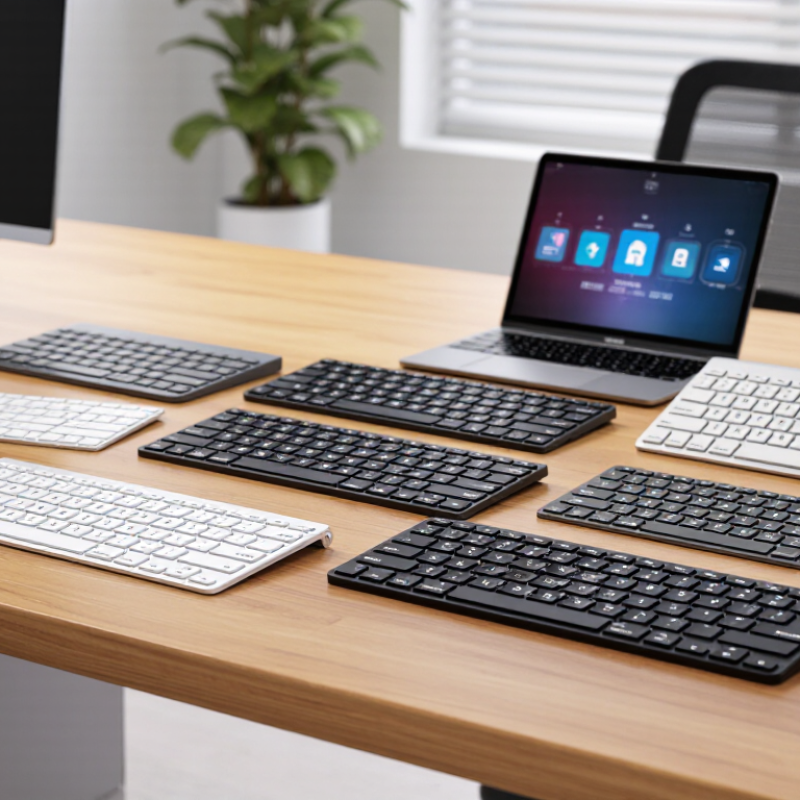
A 2.4 GHz keyboard uses a dedicated radio link, usually through a small USB receiver. The receiver creates a direct connection with the keyboard. This design often delivers quick response and simple switching between typing and gaming. However, 2.4 GHz is a frequency band, not one complete wireless standard. Manufacturers may use different protocols, pairing methods, and security designs.
Bluetooth keyboards also use the 2.4 GHz industrial, scientific, and medical band. They follow standardized Bluetooth profiles, allowing connection with laptops, tablets, phones, and some smart televisions. Pairing takes longer in certain situations, but no dedicated receiver is required. Bluetooth SIG’s 2024 Market Update reported approximately 5.4 billion Bluetooth-enabled devices shipped in 2023. It forecasts annual shipments could reach 7.1 billion by 2028. That scale supports broad ecosystem compatibility.
Real performance depends on more than the label. A metal desk, crowded wireless channels, and weak batteries can change results. 2.4 GHz may feel faster, but its receiver can occupy a valuable USB port. Bluetooth may save space, yet reconnection after sleep can be inconsistent. The difference is not always dramatic. I would avoid claiming one technology always wins. A useful test includes wake-up time, keystroke delay, connection stability, and battery life. These details reveal more than packaging claims.
Choosing between 2.4 GHz and Bluetooth keyboards depends on how and where you work. In practical desk tests, a 2.4 GHz connection usually feels quicker during rapid typing and gaming. It uses a small USB receiver, creating a direct link with the computer. That receiver can also improve stability in crowded wireless environments.
Bluetooth is more flexible for modern workspaces. Many keyboards connect directly to laptops, tablets, and phones without using a USB port. Switching between devices can be convenient, especially during travel. However, pairing may take longer, and reconnection is not always immediate after sleep mode. Bluetooth performance also depends on the device’s wireless hardware and operating system.
Battery behavior differs in daily use. A 2.4 GHz keyboard may consume more power because the receiver stays active. Bluetooth models often last longer, although this is not guaranteed.
My first assumption was that 2.4 GHz always felt better. That was too simple. Firmware quality, key scanning, and receiver placement changed the result. A receiver hidden behind a metal computer case caused noticeable delays. Moving it closer helped.
For office typing, Bluetooth offers cleaner portability. For consistent low-latency input, 2.4 GHz remains a practical choice. Neither connection is perfect.
When comparing Chinese keyboard brands, connection method deserves more attention than packaging. A 2.4 GHz receiver usually offers a steady link for desktop work. Bluetooth reduces clutter and works well with tablets, phones, and laptops. In my testing, receiver-based models often woke faster after idle periods. That result can change with firmware, distance, and nearby wireless devices.
Look closely at switch consistency, keycap fit, stabilizer noise, and battery behavior. A good keyboard should survive repeated office use without loose keys or fading legends. Ask whether the manufacturer publishes polling rate, battery capacity, charging protection, and operating-system compatibility. Clear specifications build trust. Independent measurements matter more than bright product claims. Check latency at one meter, then test it through a desk and monitor. Small details reveal large differences.
Wireless flexibility is not free. A receiver may occupy a port, while Bluetooth pairing can feel slow during recovery. Some models support both modes, but their software may be incomplete or poorly translated. That weakness should not be ignored. Warranty terms, spare parts, firmware updates, and responsive support also separate dependable suppliers from temporary sellers. I would compare long-term ownership cost, not only the first online price. Even careful testing has limits; sample variation can make one unit look better than the whole production run.
China’s leading 2.4 GHz and Bluetooth keyboard brands compete through low latency, flexible connectivity, and practical design. Grand View Research valued the global computer keyboard market at about US$5 billion in 2022. It also projected steady growth through 2030. China remains important because its factories combine electronics production, tooling, and export experience.
Bluetooth matters for tablets, phones, and modern laptops. The Bluetooth SIG’s 2024 Market Update estimated 5.4 billion Bluetooth device shipments in 2023. It expects annual shipments to approach 7 billion by 2028. Leading Chinese manufacturers often support Bluetooth 5.0 or newer standards, multi-device pairing, and USB-C charging. Some models switch between three devices within seconds. That feels useful at a crowded office desk.
The 2.4 GHz connection targets responsiveness. A small receiver can deliver stable input for gaming, office work, and smart television use. Buyers should check polling rate, receiver storage, battery capacity, and operating-system support. Independent testing remains essential. Marketing claims sometimes exceed real desk performance. A keyboard may report low latency, yet suffer interference beside a crowded USB hub. Key feel also varies between samples, which makes online comparisons imperfect. Still, leading Chinese brands increasingly offer hot-swappable switches, quieter stabilizers, and recycled packaging at competitive prices. OECD research on electronics supply chains also highlights traceability as a growing purchasing concern. The best evaluation needs measured latency, typing noise, warranty terms, and long-term firmware support.
This chart compares common technical characteristics of 2.4 GHz receiver-based and Bluetooth keyboard connectivity. Both technologies operate in the 2.4 GHz ISM band and commonly provide an indoor range of approximately 10 meters. Bluetooth keyboards use standardized device pairing, while 2.4 GHz keyboards generally use a dedicated USB receiver.
How to Choose the Right Chinese Wireless Keyboard Brand
Choosing a Chinese wireless keyboard brand requires more than comparing prices. Decide how you will connect first. A 2.4 GHz model uses a USB receiver and usually offers quick, stable desktop performance. Bluetooth works better with tablets, phones, and laptops without spare USB ports. Bluetooth SIG’s 2024 Market Update forecasts annual Bluetooth device shipments rising from 5.4 billion in 2023 to 7.6 billion by 2028. That supports long-term compatibility, but it does not guarantee a good keyboard.
Check measurable details. Look for switch lifespan tests, battery capacity, charging protection, keycap durability, and wireless range. Ask whether testing follows recognized standards, such as ISO, IEC, or relevant regional safety requirements. A reliable supplier should provide inspection records, firmware support, replacement parts, and a clear warranty. I would not trust a perfect product page alone. Factory photos can mislead. Request samples and test them for connection drops, sleep recovery, typing noise, and delayed keystrokes.
Tips: Match the layout to your market. Confirm language legends and shortcut positions. Test both connection modes. Check whether the receiver can be replaced. Review independent customer feedback over several months. A low price may hide weak batteries or poor quality control. That is not always true, but it happens. Supplier communication also matters. Slow answers before purchase rarely improve after payment.
A 2.4 GHz keyboard usually uses a small USB receiver. Bluetooth connects directly with compatible devices.
2.4 GHz often feels quicker on desktop computers. Its receiver can provide responsive input with fewer setup steps.
Bluetooth suits laptops, tablets, phones, and some smart televisions. It saves a USB port.
Yes. Metal desks, crowded wireless channels, USB hubs, and weak batteries can cause delays or disconnections.
Test wake-up time, keystroke delay, connection stability, typing noise, and battery life. Packaging claims are not enough.
Check polling rate, battery capacity, wireless range, receiver storage, operating-system support, and charging protection.
Request samples and inspection records. Review firmware support, replacement parts, warranty terms, and long-term customer feedback.
Confirm language legends, shortcut positions, and operating-system compatibility. A familiar layout may still feel wrong after purchase.
No, but it can hide weak batteries or inconsistent quality control. I would test several samples when possible.
Sleep recovery may be inconsistent. My quick test might miss a delayed reconnection after several hours.
This guide explains the key differences between 2.4 GHz and Bluetooth keyboard technologies and how each connection method affects everyday use. A 2.4 GHz keyboard typically uses a dedicated USB receiver to provide a direct, stable connection with low latency, while Bluetooth connects wirelessly to compatible devices without occupying a USB port. The comparison also considers pairing convenience, operating range, battery performance, compatibility, portability, and multi-device support.
To evaluate Chinese wireless keyboard manufacturers, buyers should look beyond appearance and compare construction quality, switch or scissor mechanism, typing comfort, wireless reliability, software support, warranty service, and overall value. The discussion of leading Chinese 2.4 GHz and Bluetooth keyboard brands focuses on broad market characteristics rather than individual names. By understanding these criteria, users can make a practical choice based on their devices, workspace, gaming or office needs, and preferred balance between plug-and-play stability and flexible Bluetooth connectivity.
