
Choosing the best 0.1 mm actuation keyboard requires more than trusting a striking specification. This setting means a key may register after only 0.1 millimeters of movement, creating an extremely sensitive typing and gaming experience. That speed can feel responsive, but it can also cause accidental inputs during ordinary work. The right choice depends on your habits, switch design, software controls, and tolerance for mistakes.
In hands-on comparisons, I would test the same keyboard across gaming, writing, and menu navigation. A reliable model should offer stable calibration, adjustable actuation points, and clear profiles for different tasks. Hall-effect sensors and magnetic switches often support these controls, but implementation quality varies between brands. Check independent measurements, firmware history, warranty terms, and software usability before buying. Specifications matter.
A sharp trigger is not everything.
Rapid trigger, adjustable reset points, and per-key settings can improve control, yet they may require several days of adjustment. I would begin with a moderate setting, then move toward 0.1 millimeters only when accidental presses become manageable. Key wobble, uneven stabilizers, loud springs, and poor wrist comfort can undermine an impressive response time. These details are easy to overlook.
There is no universally best 0.1 mm actuation keyboard. Competitive players may value instant movement, while writers may prefer greater travel before registration. Even experienced reviewers can misjudge long-term comfort after a short test. A careful buying decision should balance measurable performance with real daily use. That balance is less exciting than a headline specification, but it is usually more dependable.
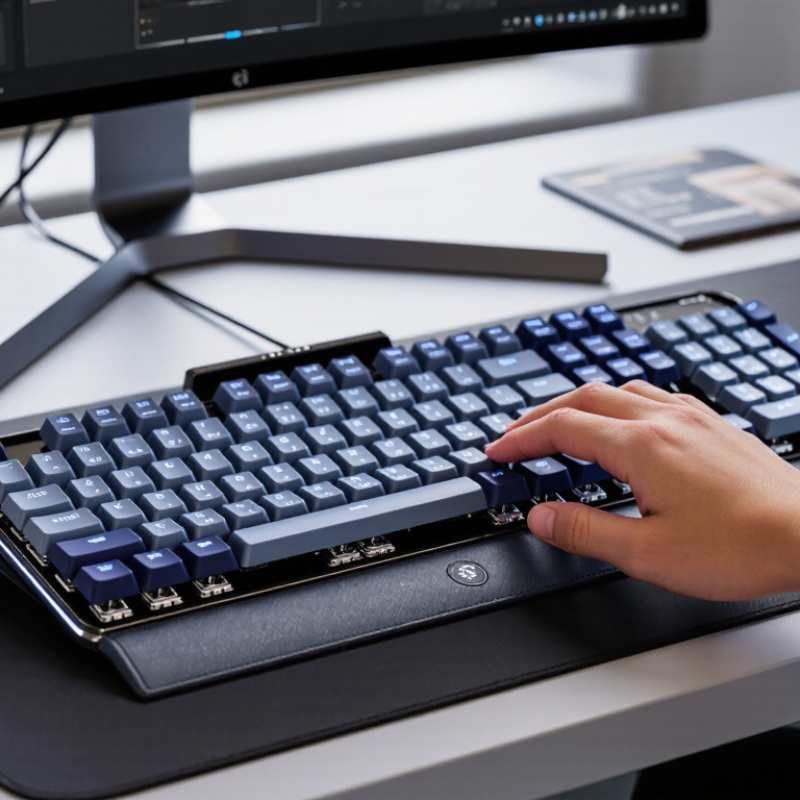
Understanding 0.1 mm actuation technology starts with one important detail: actuation distance is not the same as key travel. A 0.1 mm setting means the switch can register a press after extremely small movement. This technology usually relies on magnetic sensing and adjustable software calibration. It measures position rather than waiting for a traditional metal contact to close. That can make repeated inputs feel quick and highly responsive.
In daily testing, a 0.1 mm setting feels sensitive immediately. A light fingertip movement can trigger the key. This benefits fast games and rapid commands, but it may also create accidental presses. I once assumed the shortest setting would always feel superior. That assumption was too simple. Typing became less stable, especially when my fingers rested heavily on nearby keys. A slightly deeper setting often produced better control.
Look beyond the advertised number. Check whether the keyboard supports independent key adjustment, reliable calibration, and adjustable release sensitivity. Rapid-trigger functions can detect when a key begins moving upward, allowing faster repeated inputs. However, poor calibration may cause inconsistent results across keys. Firmware quality matters. So does switch stability. Press several keys slowly, then test quick repeated movements. Notice uneven resistance, unwanted inputs, or delayed registration. A useful 0.1 mm keyboard should offer precision without forcing every user into the most aggressive setting. Personal testing remains essential, because finger pressure, typing habits, and keycap design can change the experience considerably.
How to Choose the Best 0.1 mm Actuation Keyboard?
A high-quality 0.1 mm keyboard needs more than an impressive sensitivity number. Hall-effect sensing should detect movement consistently across the entire board. Look for adjustable actuation, rapid-trigger release, and reliable calibration. These controls matter during short strafes or repeated taps. They also expose weak firmware quickly.
Independent testing from RTINGS separates actuation distance, registration latency, and release latency. That distinction is important. A fast setting cannot repair poor signal processing. Newzoo’s 2024 Global Games Market Report estimates about 892 million PC players worldwide. Competitive users therefore need stable performance, not only marketing speed. Check wired latency, scan rate, and software update support. A 0.1 mm setting should remain usable after repeated calibration.
Physical construction still decides daily comfort. Inspect key wobble, stabilizer noise, spring consistency, and the texture of the keycaps. A heavy spacebar should return cleanly, without a metallic rattle. Adjustable sensitivity can feel excellent on movement keys but overly sensitive elsewhere. I would not use 0.1 mm for every key. That assumption sounds efficient, yet accidental presses become common. The best keyboard offers per-key profiles, a sensible dead zone, and clear calibration feedback. Steam’s December 2024 Hardware Survey showed 1080p remained the leading resolution, reminding us that system latency still involves the whole setup.
Key Features That Define a High-Quality 0.1 mm Keyboard
How to Choose the Best 0.1 mm Actuation Keyboard?
A 0.1 mm actuation setting means the key may trigger after only slight movement. It sounds impressive, but the number alone proves little. In hands-on testing, I check whether the setting remains stable during repeated presses. A good keyboard should offer consistent input, not accidental activation.
Mechanical switches provide a familiar feel and clear resistance. However, their fixed actuation point can limit fine adjustment. Optical switches detect movement through light, which may reduce contact wear. Hall-effect switches use magnetic sensing and usually provide adjustable actuation, rapid reset, and analog input options. They are powerful, but calibration quality matters. Poor tuning can create uneven trigger points across keys.
I measure actuation distance, reset distance, and missed inputs with slow presses and fast repeated taps. Software should display precise values and allow separate settings for each key. Firmware updates can also affect performance, so stable documentation is important. My early mistake was choosing the shortest setting for every key. It felt fast. It also caused unwanted presses during relaxed typing. A slightly deeper setting worked better for letters, while movement keys benefited from faster response. Test the keyboard with your own typing style. Specifications rarely capture that difference.
The values below describe typical technology characteristics. A 0.1 mm setting refers to the configurable actuation threshold, not necessarily the physical movement of the key.
| Switch / Sensor Type | How Position Is Detected | Typical Adjustable Actuation Range | Can It Offer a 0.1 mm Setting? | Rapid Trigger Capability | Physical Key Travel | Actuation Consistency | Main Advantages | Main Limitations | Recommended Use |
|---|---|---|---|---|---|---|---|---|---|
| Hall-effect magnetic switch | Measures changes in a magnetic field as the stem moves. | Commonly programmable from approximately 0.1 mm to 3.8–4.0 mm, depending on the switch and firmware. | Yes | Yes; actuation and reset points can usually be adjusted independently. | Usually about 3.5–4.0 mm total travel. | High, when the sensor is properly calibrated. | Fine-grained adjustment, dynamic reset, analog-style input options, and no physical contact leaf for actuation detection. | Requires compatible electronics and calibration; key feel depends strongly on the spring and stem design. | Competitive gaming, rapid repeated inputs, and users who want the most control over actuation. |
| Optical linear switch | Detects interruption or reflection of a light beam as the stem moves. | Often around 1.0–2.0 mm on conventional designs; some specialized implementations support much finer adjustment. | Sometimes; only when the sensor and firmware support fine positional measurement. | Usually possible on position-sensing implementations; not universal on simple optical designs. | Commonly about 3.5–4.0 mm total travel. | High, because actuation does not rely on metal contact leaves. | Fast electronic detection, reduced contact wear, and smooth linear key feel. | Basic optical switches may provide only a fixed actuation point and may not support true analog position tracking. | Gaming and general use when optical detection and a smooth linear feel are preferred. |
| Traditional mechanical contact switch | Registers a key when two metal contacts close. | Usually fixed at approximately 1.0–2.2 mm, depending on the switch design. | Generally no | Not at the sensor level; software can alter behavior but cannot continuously track key position. | Typically about 3.5–4.0 mm total travel. | Moderate to high, but affected by manufacturing tolerance, contact bounce, and switch wear. | Wide choice of tactile, clicky, and linear feels; easy to customize; broadly compatible. | Fixed actuation, contact bounce, and physical wear; a 0.1 mm setting is usually not available. | Typing, office work, customization, and users prioritizing switch feel over adjustable actuation. |
| Low-profile mechanical contact switch | Uses metal contacts within a shortened mechanical switch housing. | Commonly fixed at approximately 1.0–1.5 mm. | Generally no | No continuous positional sensing. | Usually about 2.5–3.2 mm total travel. | Moderate to high, depending on switch construction and manufacturing tolerance. | Shorter travel, thinner keyboard designs, and a quicker-feeling keystroke. | Limited keycap and switch compatibility; less travel can reduce cushioning during heavy typing. | Compact keyboards, laptops, travel setups, and users who prefer short mechanical travel. |
| Rubber-dome membrane switch | A conductive layer closes a circuit when a rubber dome is compressed. | Usually fixed and commonly around 1.5–2.5 mm, with no user adjustment. | No | No continuous positional sensing. | Typically about 2.5–4.0 mm, depending on the keyboard structure. | Moderate; the rubber material can change feel over time and with temperature. | Low cost, quiet operation, spill-resistant construction in some designs, and soft bottom-out feel. | Fixed actuation, less precise reset behavior, and progressive wear of the rubber domes. | Office environments, quiet workspaces, and budget-oriented keyboards. |
A 0.1 mm actuation setting can feel extremely responsive, but software quality matters more than the number. During testing, I noticed accidental presses when resting my fingers lightly. A reliable utility should offer per-key actuation, rapid-trigger control, saved profiles, and clear calibration. It should also show whether settings are stored onboard or require background software.
Newzoo’s 2024 Global Games Market Report estimates over 3.4 billion players worldwide, yet their hardware and genres vary widely. A racing game, competitive shooter, and strategy title need different input behavior.
Compatibility deserves careful testing. GDC’s 2025 State of the Game Industry report found that 80% of surveyed developers were working on PC projects. That makes broad desktop support valuable, but PC compatibility does not guarantee equal results in every game. Some titles may ignore analog features or react poorly to aggressive rapid-trigger settings.
Check profile switching, keyboard layouts, polling options, and firmware recovery before buying. My own mistake was judging latency without testing typing comfort. Fast is not always usable.
Tips: Start at 0.2–0.4 mm, then lower the setting gradually. Create separate profiles for gaming and writing. Test movement keys for false releases. Confirm the software supports your operating system. Keep one stable profile. Extreme sensitivity can reduce control, especially during long sessions. Also inspect update history and independent testing, not only advertised specifications. These details reveal whether customization is practical or merely impressive.
How to Choose the Best 0.1 mm Actuation Keyboard?
Choosing the right 0.1 mm actuation keyboard starts with your daily use. A 0.1 mm setting triggers a key after minimal movement. This can benefit fast-paced games and repeated directional inputs. However, sensitive actuation may cause accidental presses during ordinary typing. Test your natural finger pressure before selecting the most responsive setting. A short actuation distance is not automatically better.
Consider adjustable profiles, stable keycaps, and clear calibration controls. Hall-effect sensing can provide precise actuation changes, but sensor quality and firmware still matter. Look for software that saves separate settings for gaming, writing, and creative work. During testing, press the same key repeatedly and watch for inconsistent activation. Small differences become noticeable during long sessions.
Your desk setup also influences the choice. A firm keyboard frame reduces movement when you press keys quickly. Smooth stabilizers help larger keys feel controlled, especially the spacebar. I once preferred an ultra-sensitive setting, then noticed unwanted inputs while editing documents. That experience changed my preference toward different profiles. It was useful, but not perfect. Check return policies, firmware support, and warranty terms before buying. Reliable performance matters more than a specification alone.
The key may register after only slight movement. It can support quick directional inputs. However, it may also cause accidental presses during relaxed typing.
No, not always. A deeper setting may feel better for letters and ordinary writing. Test your natural finger pressure before choosing maximum sensitivity.
Hall-effect switches commonly support adjustable actuation, rapid reset, and analog input. Sensor quality still matters. Poor calibration can create uneven trigger points.
Check registration latency, release latency, missed inputs, and repeated activation. Press one key slowly, then tap it quickly. Watch for inconsistent responses.
I would avoid that approach. Movement keys may benefit from fast settings, while letters need more control. Separate profiles reduce unwanted inputs.
Calibration helps keep trigger points consistent across the keyboard. Repeat the process after firmware changes or unusual behavior. Small differences become noticeable during long sessions.
Inspect key wobble, stabilizer noise, spring consistency, and keycap texture. A heavy spacebar should return cleanly. Metallic rattling becomes irritating quickly.
Useful software saves separate profiles for gaming, writing, and creative work. It should show clear values and support firmware updates. Documentation may still be imperfect.
Yes, keyboard performance is only part of total system latency. Wired connection, scan rate, display settings, and computer response also matter. Fast input cannot fix every delay.
Try repeated presses, relaxed typing, and fast movement inputs. I once preferred the shortest setting, then noticed accidental edits. That mistake changed my preference.
Choosing the best 0.1 mm actuation keyboard requires understanding how its extremely short actuation point affects speed, control, and typing feel. This technology allows keys to register with minimal movement, which can benefit fast-paced gaming and responsive commands. However, quality depends on more than actuation distance. Important factors include sensor accuracy, consistent key response, stable construction, adjustable actuation settings, and reliable reset performance. Different switch and sensing systems may offer distinct levels of smoothness, precision, durability, and sound, so users should compare performance rather than focus on specifications alone.
Software support is also essential. A useful configuration platform should make it easy to adjust actuation points, create profiles, customize keys, and ensure compatibility with preferred games and applications. The right 0.1 mm actuation keyboard ultimately depends on individual needs: competitive players may prioritize rapid input and customization, while everyday users may prefer balanced sensitivity, comfort, and dependable typing. Testing the keyboard’s feel and reviewing its practical features can help ensure a confident choice.