
Choosing between 3 pin vs 5 pin keyboard switches can seem like a small technical decision. In practice, it affects mounting, stability, and keyboard compatibility. A three-pin switch usually has two metal contact pins and one central plastic guide. A five-pin switch adds two plastic alignment legs. These extra legs sit directly in a compatible PCB.
The distinction matters most when building or modifying a custom mechanical keyboard. A five-pin switch can feel steadier on a PCB because it resists slight side-to-side movement. A three-pin switch may feel less secure without a plate, but it remains widely compatible with plate-mounted keyboards. Many five-pin switches can also fit three-pin layouts after removing their plastic legs. That modification is simple, but it is not always reversible.
Keyboard educator and builder Alexotos offers a useful perspective: “A switch should be judged in the keyboard it is built into, not in isolation.” The wording deserves reflection. Switch type alone does not determine typing quality. Plate material, PCB design, stabilizers, keycaps, and lubrication also shape the final experience.
Feel the difference carefully.
This guide examines 3 pin vs 5 pin keyboard switches through fit, stability, installation, and real-world use. It also addresses a common misunderstanding: five pins do not automatically mean better performance. Sometimes, they only mean a tighter mechanical fit. Your ideal choice depends on the keyboard case, PCB, plate, and the sound and feel you actually prefer. There is no perfect answer, and that uncertainty is part of the build process.
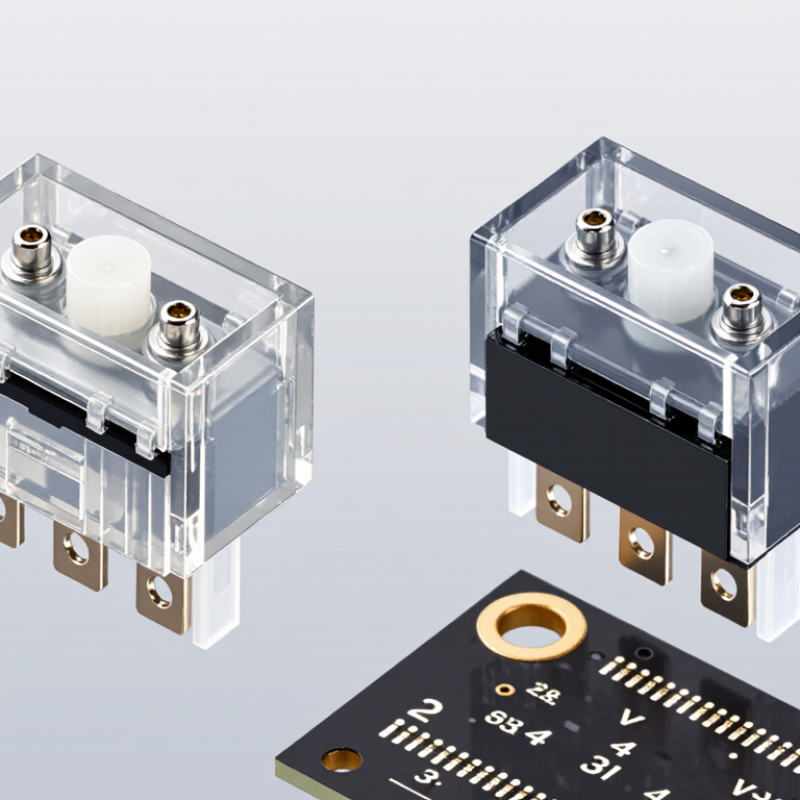
Three-pin and five-pin keyboard switches describe the number of legs beneath each switch. Both usually have two metal pins for electrical contact. A three-pin switch also has one central plastic stem. A five-pin switch adds two plastic guide legs. These extra legs sit in matching PCB holes and reduce sideways movement during typing.
In practical use, five-pin switches feel more stable on a compatible PCB. The switch housing stays straighter, especially when pressing near a key’s edge. Three-pin switches can still perform well on plate-mounted keyboards. They are often easier to fit into older or simpler layouts. However, a five-pin switch will not always fit a three-hole PCB. The two guide legs may need careful trimming, which can damage alignment if done poorly.
Grand View Research valued the global mechanical keyboard market at about 1.2 billion dollars in 2023. Its 2024 report projected a 12.6 percent annual growth rate through 2030. Another 2024 market analysis reported a lower growth estimate, near 8 percent, because research methods and product definitions differed. Those figures suggest rising interest, not proof that five pins are superior. My own switch testing also shows that plate material, lubrication, and mounting style can matter more. This is the part I once underestimated. Stability is helpful, but sound and feel remain personal. Check the PCB hole pattern before buying. Mistakes happen there.
A mechanical switch usually has a central stem, a spring, two metal contact pins, and a plastic housing. The central stem moves when you press a key. Its legs touch the electrical contacts inside the switch. A 3-pin switch contains two metal pins and one central plastic support. A 5-pin switch adds two plastic guide posts. These posts sit in matching PCB holes and reduce sideways movement.
The difference is physical. Both designs can deliver the same electrical signal and similar actuation performance. However, a 5-pin switch usually feels more stable on a compatible PCB. A 3-pin switch often needs a plate for firm alignment. Some five-pin sockets accept three-pin switches, but not every board works both ways. Check the PCB layout before buying. Industry market outlooks published in 2024 estimated the global mechanical keyboard market at more than US$1 billion. Their growth also reflects rising interest in modular, replaceable components. That trend makes socket compatibility increasingly important. Still, market data does not measure typing feel accurately. Personal testing remains valuable.
Tips: Count the metal pins first. Then check the two plastic guide posts. If your PCB has only three holes, clip the extra posts carefully. I have found this method useful, but careless trimming can leave rough edges. Test one switch before modifying an entire set. Also inspect the manufacturer’s force curve, rated lifespan, and tolerance data. IEC 61058-1 and IPC-2221C provide useful technical reference points, although they do not replace switch-specific testing.
What Is 3 Pin vs 5 Pin Keyboard Switches? The difference is physical, but it changes stability, compatibility, and typing feel. A 3-pin switch uses two metal contact pins and one plastic center stem. A 5-pin version adds two plastic guide legs. These extra legs reduce sideways movement, especially during fast typing. The result feels more planted under your fingers. However, the switch itself does not create a better sound automatically. Plate material, keycap weight, and lubrication also matter.
Compatibility is where the choice becomes practical. Three-pin switches fit most plate-mounted and many hot-swappable keyboards. Five-pin switches require a PCB with matching holes, although their plastic legs can often be trimmed carefully. Grand View Research valued the global mechanical keyboard market at about 1.2 billion dollars in 2022 and projected roughly 12.5% annual growth through 2030. This growth encourages more layouts and sockets, but standards remain inconsistent. My own mistake was assuming every hot-swap board supported five pins. It did not.
Tips: Check the PCB socket layout before buying. Test one switch first. A five-pin switch can feel more stable, but a tightly fitted plate may already provide enough support. Industry market reports measure demand, not typing satisfaction, so personal testing remains important. I also found that lighter keycaps can reveal wobble more clearly. That was unexpected. For wide keys, stabilizer quality usually matters more than choosing three or five pins.
Five-pin switches add two plastic PCB-mounting legs, which generally improve stability on PCBs designed for them. Three-pin switches are more widely compatible because they use only the two metal electrical pins and the central plastic stem. Typing feel is mainly determined by the switch design, spring, stem, and plate, so the pin count has only an indirect effect.
Choosing between 3-pin and 5-pin switches depends on your keyboard’s PCB, plate, and typing preferences. A 3-pin switch has two metal contacts and one center plastic stem. It usually fits plate-mounted keyboards, where the plate provides extra support. A 5-pin switch adds two plastic alignment pins. These pins reduce movement and can make each keystroke feel more stable.
Check the PCB specifications before buying. A PCB designed for 5-pin switches usually accepts both types, while a 3-pin PCB may not have holes for the extra pins. Some users trim the two plastic pins from 5-pin switches, but this can be slow and uneven. I have done it before; one poorly cut pin made a switch sit slightly crooked. That small mistake was surprisingly noticeable during typing. A compatible plate can hide some movement, but it cannot fix every fit problem.
Tips: Remove one keycap and inspect the switch area first. Look for two small holes beside the central opening. Choose 5-pin switches for a more secure PCB fit, especially in plateless builds. Choose 3-pin switches when your plate already offers firm support. Test a single switch before modifying an entire set. It saves time.
A 3-pin switch can usually fit a 5-pin keyboard PCB. The switch uses two metal contact pins and one central stem. A 5-pin version adds two plastic locating legs for extra stability. On a 5-pin PCB, those unused leg holes normally cause no problem. The switch simply leaves them empty.
Check the socket layout first. Most compatible boards use the same MX-style spacing, with approximately 19.05 millimeters between switch centers. A plate can also hold the switch firmly. Without a plate, a 3-pin switch may feel slightly less secure during installation. It can tilt before soldering, especially with a flexible PCB. That detail is easy to overlook.
Industry market analysis published in 2024 estimated the global mechanical keyboard market at more than USD 1 billion, reflecting wider adoption of hot-swap designs and modular parts. However, market data does not guarantee compatibility. PCB documentation matters more. Confirm the board’s switch footprint, socket type, and clearance around the two unused holes. Some compact layouts add unusual cutouts. A switch may fit electrically but still sit unevenly.
My practical test is simple: insert one switch without force, then inspect the underside. The two metal pins should enter cleanly, while the plastic legs may remain unsupported. If the switch rocks, use a compatible plate or choose 5-pin switches. I would not widen holes casually. That shortcut can damage the PCB.
A 3-pin switch has two metal contacts and one central plastic stem. A 5-pin switch adds two plastic guide legs.
Often, yes. The extra legs reduce sideways movement during fast typing. The switch feels more planted under your fingers.
No. Check the PCB socket layout first. Some boards lack holes for the two extra plastic legs.
Sometimes, if you carefully trim the guide legs. Cutting can be slow and uneven. One crooked cut may make the switch sit noticeably wrong.
Choose them when the plate already provides firm support. They usually fit plate-mounted keyboards and many hot-swappable designs.
They suit plateless builds and PCBs with matching holes. Their extra legs can improve alignment and reduce wobble.
No. Plate material, keycap weight, and lubrication also affect sound. A heavier keycap may produce a deeper result.
Remove one keycap and inspect the switch area. Look for two small holes beside the central opening. Test one switch first. It saves time.
Stabilizer quality usually matters more for wide keys. A poorly adjusted stabilizer can cause noise and uneven movement.
It can reduce the difference. However, the plate cannot correct every fit problem. My earlier assumption was too simple.
Understanding 3 pin vs 5 pin keyboard switches can help you choose the right parts for a custom mechanical keyboard. Both switch types use two metal pins for electrical contact, while the main difference is the number of plastic support legs on the bottom. A 3-pin switch has two metal pins and one center plastic stem, whereas a 5-pin switch adds two extra plastic legs for improved alignment and stability.
The choice depends on your keyboard PCB and preferred typing experience. Five-pin switches generally sit more securely and feel less wobbly, while three-pin switches can still perform well and are often compatible with older or plate-mounted designs. A 3-pin switch may fit a 5-pin PCB if the unused support-leg holes are clear, but it will usually need a compatible plate or additional support. Before purchasing, check the PCB layout, mounting style, and switch dimensions to ensure proper fit and stability.
